

Running a small online business can look simple from the outside. You may only have a few clients, a small team, several social media accounts and a handful of projects. But behind the scenes, there can be dozens of things happening at once: responding to customers, creating content, managing deadlines, tracking projects, writing documents, planning campaigns, following up with clients and keeping business information organized.

That is where workspace and productivity applications become useful.
Instead of keeping business information across WhatsApp messages, Google Docs, spreadsheets, notebooks, emails and several unrelated apps, a workspace platform can bring much of that information together.
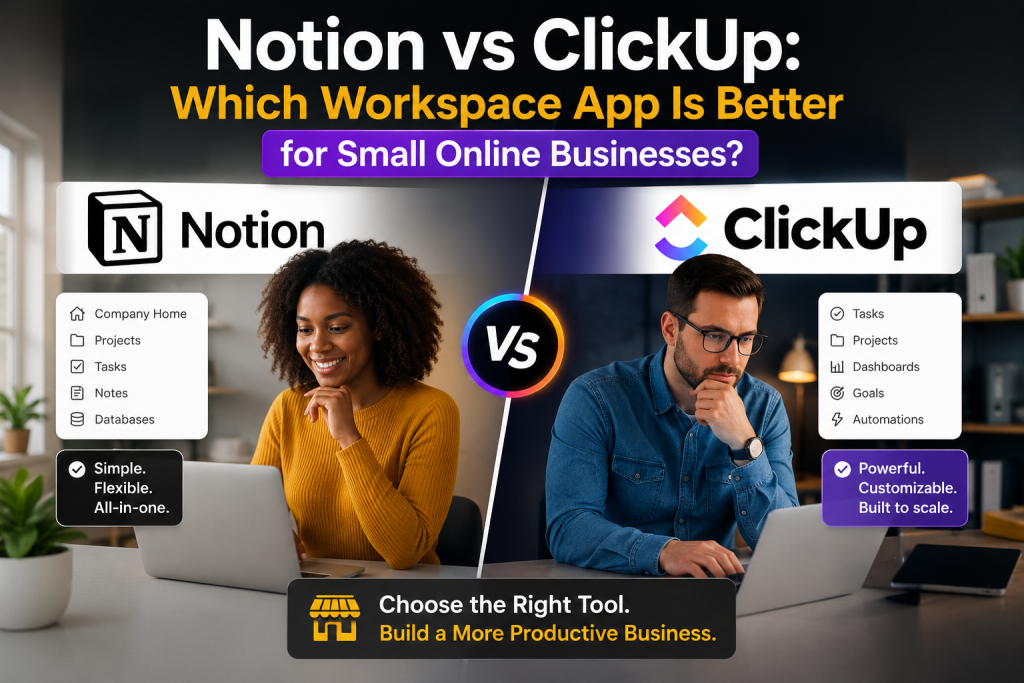
Two of the most popular names in this area are Notion and ClickUp.
Both platforms promise to help businesses organize work, manage projects and improve productivity. However, they approach the problem differently. Notion is built around flexible pages, documents, databases and connected information, while ClickUp is more heavily focused on tasks, projects, workflows, time management and structured work management. ClickUp itself describes its platform as task-first, while Notion describes its workspace as a connected environment for documents, wikis, projects and databases.
So, which one is better for a small online business?
The answer depends on the kind of business you operate, how your team works and whether your biggest problem is organizing information or managing tasks and projects.
In this comparison, we will look at Notion and ClickUp across usability, project management, collaboration, documentation, automation, AI, pricing, customization and overall value for small online businesses.

What Are Notion and ClickUp?
Before comparing the two platforms, it is important to understand what each one is designed to do.
What is Notion?
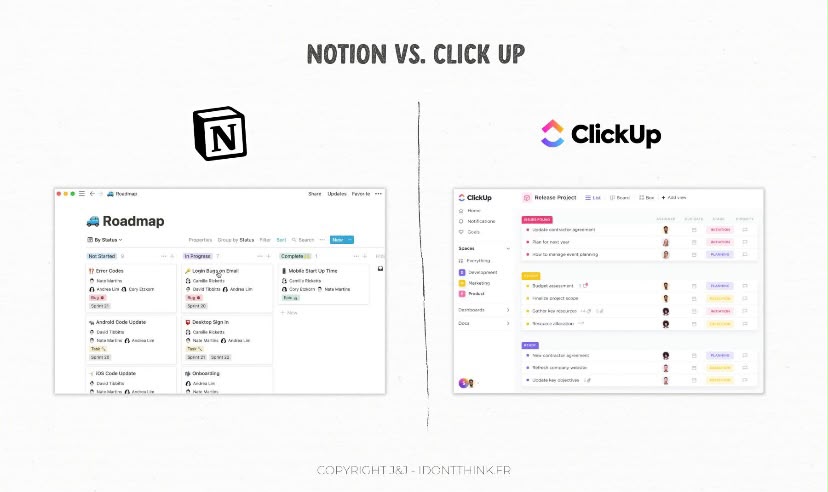
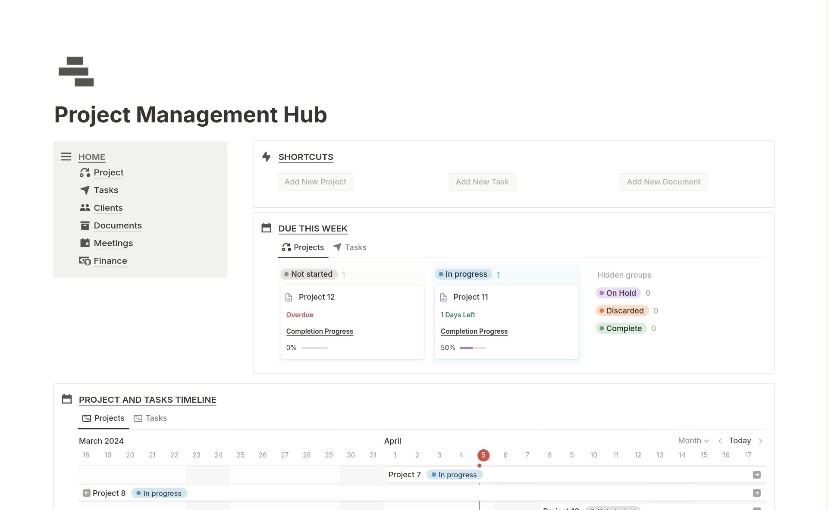
Notion is a flexible workspace that combines documents, wikis, databases, projects and other forms of business information. Instead of forcing every user into one specific workflow, Notion gives users building blocks that can be arranged according to their needs.
A small business could use Notion to create a company homepage, content calendar, client database, project tracker, meeting-notes system, knowledge base, employee onboarding area and business planning dashboard.
Notion’s current product offering includes databases with features such as subtasks, dependencies and custom properties, alongside documents, forms, websites and calendar functionality.
This flexibility is one of Notion’s biggest strengths.
For example, a social media manager could create a database containing clients, another containing content ideas and another containing scheduled posts. Those databases can then be connected so that information about a client, project or campaign can appear in different places without manually duplicating it.0
For a small business owner who wants one customizable digital headquarters, this can be extremely useful.
What is ClickUp?
ClickUp takes a more task-oriented approach.

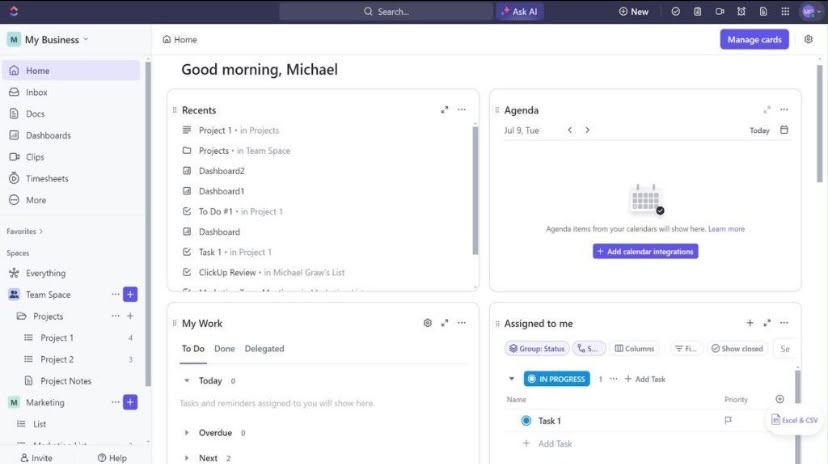
The platform combines tasks, projects, documents, dashboards, goals, time tracking, automations, chat, whiteboards and reporting in one environment. Its hierarchy is designed to organize work through spaces, folders, lists and tasks.
This makes ClickUp particularly attractive to businesses where work revolves around deadlines, assignments, workflows and project execution.
For example, a small digital marketing agency could create separate spaces for clients, assign tasks to team members, establish due dates, monitor project progress and create dashboards showing what has been completed and what remains outstanding.
ClickUp also supports multiple ways of viewing work, allowing teams to visualize tasks and projects according to their preferred workflow.
In simple terms:
Notion is more like a customizable digital business headquarters.
ClickUp is more like a structured digital operations and project-management system.

Notion vs ClickUp: The Biggest Difference
The biggest difference between the two platforms is their philosophy.
Notion starts with information and documents.
ClickUp starts with tasks and work execution.
That difference becomes important as soon as a business begins growing.
Imagine that you run a small online fashion business.
In Notion, you could create a business dashboard containing your brand guidelines, supplier information, product catalog, marketing ideas, social media calendar, customer information, meeting notes and business plans.
Everything can be connected through pages and databases.
With ClickUp, you could create tasks for product launches, assign responsibilities, establish deadlines, create recurring tasks for social media posting and monitor progress using dashboards.
Both approaches are useful.
The question is: Which problem are you trying to solve?
If your business is struggling because information is scattered everywhere, Notion may be the better solution.
If your business is struggling because tasks are being forgotten, deadlines are being missed and team members are unclear about responsibilities, ClickUp may have the advantage.
1. Ease of Use
For a small business, ease of use matters.
You may not have a dedicated operations manager or project-management specialist. The business owner may be responsible for setting up the workspace, training team members and maintaining the system.
Notion
Notion has a relatively clean and flexible interface, but its flexibility can also make it confusing for beginners.
When you first open Notion, you may be presented with a blank page and a huge number of possibilities.
That sounds great, but it can create a problem:
What exactly should you build?
You can create almost anything, but you have to decide how your system should work.
Templates can make this easier, and Notion provides templates and use cases for areas such as project management, marketing, startups and small businesses.
Once the workspace is properly designed, however, Notion can become very intuitive.
ClickUp
ClickUp provides a more structured environment.
Instead of starting with a completely blank canvas, users are guided toward a hierarchy of workspaces, spaces, folders, lists and tasks.
This can make it easier for a team to understand where work belongs.
However, ClickUp has an enormous number of features, and that can also make the platform feel overwhelming.
A small business may only need 20% of ClickUp’s features but still see options for dashboards, automations, time tracking, goals, views, forms, docs and more.
Winner for ease of use: Notion
For businesses primarily interested in creating a flexible workspace, Notion gets the advantage.
However, ClickUp may be easier for teams that already understand traditional project-management systems.
2. Project Management
This is where ClickUp begins to pull ahead.
ClickUp is designed around structured work management. Tasks can have assignees, due dates, priorities, statuses and other properties. The platform also provides tools for scheduling, time estimates, recurring tasks, time tracking and reporting.
This is especially useful for businesses with multiple employees or freelancers.
Suppose an online business is preparing a new product launch.
A ClickUp workflow might look like this:
- Research product
- Create marketing plan
- Design graphics
- Write product description
- Create website page
- Prepare social media posts
- Send email campaign
- Review campaign
- Launch product
- Measure results
Each task can have an owner and deadline.
The business owner can then see which tasks are completed, which are in progress and which are delayed.
Notion can also handle project management. Its databases support properties, subtasks, dependencies and different views, while Notion Projects is specifically designed to manage projects from beginning to end.
However, ClickUp’s project-management structure tends to feel more natural when task execution is the center of the business.
Winner for project management: ClickUp
If project management is the main reason you need a workspace application, ClickUp is the stronger choice.
3. Documentation and Knowledge Management
This is one of Notion’s strongest areas.
A small business accumulates a huge amount of information over time.
There are brand guidelines, passwords and access procedures, standard operating procedures, customer-service scripts, meeting notes, business plans, content ideas, product information and internal training materials.
Notion is excellent for turning that information into an organized knowledge base.
You can create a central company wiki and divide it into sections.
For example:
Company Wiki
- About the business
- Brand guidelines
- Marketing
- Sales
- Customer service
- Finance
- Operations
- Team information
- Standard operating procedures
- Frequently asked questions
This structure is especially valuable when new employees or freelancers join the business.
Instead of explaining the same processes repeatedly, the business owner can direct team members to the relevant documentation.
ClickUp also includes Docs and knowledge-management functionality. Its Docs can exist alongside tasks and workflows, allowing documentation to be connected to the work being performed.
However, Notion’s document-first design makes it particularly comfortable for businesses where documentation is a major part of daily work.
Winner for documentation: Notion
4. Collaboration
Both platforms support collaboration, but they are useful in slightly different ways.
Notion allows teams to collaborate on pages, databases and documents in real time. It also supports comments and other collaborative features.
This is useful when a business regularly works on documents together.
For example, a content team can collaborate on an article directly inside Notion.
A marketing manager can review the draft, leave comments and make changes without creating several versions of the same document.
ClickUp focuses more heavily on collaboration around work.
Team members can communicate around tasks, documents and projects while using dashboards and other views to understand progress.
This makes ClickUp especially useful for teams that need to know:
Who is doing what?
When is it due?
What is blocking the project?
What has already been completed?
Winner for structured team collaboration: ClickUp
Winner for document collaboration: Notion
Overall, this category is close because the better option depends on the type of collaboration your business needs.
5. Automation
Automation becomes increasingly important as a small business grows.
The goal is simple: stop spending human time on repetitive work.
ClickUp offers native automations across its plans, with limits depending on the plan. Its current documentation lists automation limits ranging from five active automations and 100 actions per month on Free Forever to higher limits on paid plans.
For example, a business could create workflows where:
- A completed task automatically moves to another status.
- A new task is assigned to a specific person.
- A recurring task is created every week.
- A deadline approaching a certain date triggers an action.
- A task entering a particular status triggers a notification.
Notion also supports automation and increasingly incorporates AI agents and other automated workflows.
Notion says its agents can perform multi-step tasks using context from the workspace, connected apps and the web.
However, for a business where task automation is central to daily operations, ClickUp currently has a particularly strong proposition.
Winner for workflow automation: ClickUp
6. Artificial Intelligence
AI has become an important part of productivity software.
Both Notion and ClickUp now use AI to help users find information, create content and perform work.
Notion AI is integrated into the workspace and can help with tasks such as editing reports, generating content, creating databases and searching information. Notion’s current AI documentation also highlights AI Meeting Notes, Enterprise Search and Notion Agents.
This makes Notion particularly useful for businesses that deal heavily with written information.
A content creator could use AI to summarize meeting notes.
A business owner could use it to organize information.
A marketing team could use it to brainstorm ideas or turn existing information into drafts.
ClickUp Brain takes a more work-management-oriented approach. ClickUp says its AI can work with context from tasks, documents, conversations, decisions and other workspace information.
For a project-based business, this can be useful because the AI is operating within the context of actual work.
Winner for AI: Tie
Notion is especially attractive for knowledge, writing and information-heavy workflows.
ClickUp is especially attractive for task and project-oriented workflows.
7. Customization
If customization is important to you, Notion is difficult to ignore.
The platform is essentially built around flexible building blocks.
You can create dashboards, databases, pages, linked databases, calendars, boards and other structures and arrange them according to your preferred workflow.
A freelancer could create a client management system.
A content creator could build a content calendar.
A small agency could create a CRM.
An online store could build a product database.
A startup could create a company wiki.
The possibilities are extensive.
ClickUp is also highly customizable. Users can customize statuses, views, dashboards, fields and workflows.
However, the customization in ClickUp is generally directed toward managing work.
Notion’s customization extends more naturally into general business information.
Winner for customization: Notion
8. Dashboards and Reporting
ClickUp has a strong advantage when it comes to operational dashboards.
ClickUp dashboards can provide high-level views of work and allow teams to monitor things such as project performance, tracked time and progress.
For example, an agency owner could have a dashboard showing:
- Active projects
- Overdue tasks
- Completed tasks
- Team workload
- Tracked hours
- Project progress
- Upcoming deadlines
That information can help management make decisions quickly.
Notion also provides dashboards and database views. Current Notion dashboard functionality can combine tables, boards, calendars, charts and timelines into a single control centre.
However, some advanced dashboard functionality is tied to higher Notion plans.
For businesses that want detailed operational reporting, ClickUp has the stronger project-management dashboard experience.
Winner for reporting: ClickUp
9. Pricing and Value for Small Businesses
Price is especially important for small businesses.
According to current official pricing information, Notion’s Free plan is $0 per member per month, while its Plus plan is listed at $10 per member per month when billed annually. Its Business plan is listed at $20 per member per month when billed annually.
ClickUp currently lists Free Forever at $0, Unlimited at $7 per user per month when billed annually, and Business at $12 per user per month when billed annually in its current pricing documentation.
Prices and plan features can change, so businesses should check the official pricing pages before purchasing.
At first glance, ClickUp can offer strong value for businesses that specifically need project-management features such as time tracking, Gantt charts, integrations and advanced work-management capabilities.
Notion can provide excellent value for businesses that want to replace several information-management tools with one flexible workspace.
The cheapest option is not necessarily the best option.
The better question is:
How many other tools can this platform help you eliminate?
If Notion replaces a separate documentation tool, content-planning system and basic project tracker, it may save money.
If ClickUp replaces a task manager, project-management platform, time-tracking tool and reporting system, it may also provide substantial savings.
Winner for value: Depends on the business
10. Which One Is Better for Freelancers?
For freelancers, Notion is often an excellent starting point.
A freelancer can create a workspace containing:
- Client database
- Project tracker
- Content calendar
- Invoice tracker
- Meeting notes
- Business goals
- Portfolio planning
- SOPs
- Personal task list
Because freelancers often handle several different types of work themselves, Notion’s flexibility can be particularly valuable.
ClickUp becomes more attractive when the freelancer is managing complex projects or working with multiple clients and collaborators.
Winner for freelancers: Notion
11. Which One Is Better for Small Agencies?
This is where ClickUp starts becoming more compelling.
A small agency may have designers, writers, marketers, developers and account managers working on multiple client projects.
The agency needs to know exactly who is responsible for each task.
It needs deadlines.
It needs project statuses.
It needs workload management.
It may also need time tracking and reporting.
ClickUp’s task-first structure is well suited to this type of operation.
Notion can certainly be configured for an agency, but building and maintaining the system may require more customization.
Winner for small agencies: ClickUp
12. Which One Is Better for Content Creators?
For content creators, Notion is an excellent option.
A YouTube creator, blogger or social media manager can create a content database containing:
- Content title
- Platform
- Content type
- Publication date
- Status
- Caption
- Script
- Thumbnail
- Keywords
- Content pillar
- Performance results
Because the actual script, notes and research can live alongside the content database, the entire content-production process can remain in one place.
ClickUp can also manage content workflows very effectively, particularly for teams.
But for an individual creator who wants a combination of planning, writing and organization, Notion often feels more natural.
Winner for content creators: Notion
13. Which One Is Better for E-Commerce Businesses?
E-commerce businesses have different needs.
They may need to manage products, suppliers, marketing campaigns, customer service, inventory tasks and promotions.
Notion can be used as a central information hub for product information and business documentation.
ClickUp can be used to coordinate operational tasks and recurring workflows.
For example, an online store could create recurring ClickUp tasks for:
- Checking inventory
- Reviewing orders
- Updating product listings
- Preparing social media posts
- Following up with suppliers
- Running weekly marketing reports
If the business is heavily operations-focused, ClickUp may be the stronger choice.
If it needs a flexible product and information database, Notion may be preferable.
Winner: Depends on the operation
14. Notion vs ClickUp: Pros and Cons
Notion Pros
- Extremely flexible
- Excellent documentation
- Powerful databases
- Great for knowledge management
- Good for content planning
- Highly customizable
- Useful for freelancers and small teams
- Can combine several types of business information
- Strong AI and connected-workspace capabilities
Notion Cons
- Can take time to set up properly
- Too much flexibility can become confusing
- Advanced features may require higher plans
- Project management can require more customization than dedicated task-management platforms
- Businesses may spend too much time designing the workspace instead of using it
ClickUp Pros
- Strong project management
- Excellent task organization
- Powerful dashboards
- Time tracking
- Workflow automation
- Multiple work views
- Strong team-management features
- Suitable for agencies and project-based businesses
- Combines tasks, docs, goals and other work-management tools
ClickUp Cons
- Can feel overwhelming
- Large number of features can create complexity
- Requires thoughtful workspace setup
- Some advanced capabilities are limited by plan
- May feel like more software than a solo business owner needs
So, Which Workspace App Is Better?
There is no universal winner.
But if we have to make a recommendation for different types of small online businesses, the decision becomes much easier.
Choose Notion if:
You want a flexible business headquarters.
You need to manage documents and knowledge.
You are a freelancer or solo entrepreneur.
You create a lot of written content.
You want customizable databases.
You want to connect business information together.
You want a workspace that can adapt as your business changes.
Choose ClickUp if:
Your business revolves around projects.
You work with several employees or freelancers.
You need detailed task management.
You care about deadlines and accountability.
You need time tracking.
You want operational dashboards.
You want extensive workflow automation.
You need structured project-management features.
Our Verdict
For most small online businesses, we would give Notion a slight advantage as the best all-around workspace, while ClickUp wins for serious project management and team operations.
Notion is particularly attractive because small businesses often need more than a task manager. They need somewhere to store ideas, documents, customer information, plans, processes, content and projects.
Its flexibility allows one workspace to evolve alongside the business.
However, flexibility can also be its biggest weakness. If your business has a lot of moving projects and team members, a beautifully designed Notion workspace may still not provide the same structured project-management experience as ClickUp.
ClickUp, on the other hand, is the better choice when the main objective is execution.
If your business constantly asks questions such as:
Who is responsible for this task?
When is it due?
How much time has been spent on it?
Which projects are behind schedule?
What work needs to be completed this week?
ClickUp is likely to serve you better.
If your questions are more like:
Where is our brand information?
Where are our content ideas?
Where is the client information?
Where is our business plan?
Where are our standard operating procedures?
How can we organize all of our information in one place?
Notion is probably the better fit.
The most important lesson is that the best productivity app is not necessarily the one with the most features.
It is the one your business can actually use consistently.
A small online business does not need a complicated digital system simply because a software platform offers hundreds of features. A system that the team understands and uses every day will almost always be more valuable than a sophisticated workspace that nobody maintains.
Final Comparison
| Category | Winner |
|---|---|
| Ease of use | Notion |
| Documentation | Notion |
| Knowledge management | Notion |
| Customization | Notion |
| Content planning | Notion |
| Freelancers | Notion |
| Project management | ClickUp |
| Task management | ClickUp |
| Team operations | ClickUp |
| Time tracking | ClickUp |
| Workflow automation | ClickUp |
| Dashboards & reporting | ClickUp |
| Complex team workflows | ClickUp |
| AI | Tie |
| Overall small-business workspace | Notion |
| Overall project-management platform | ClickUp |
Final Recommendation
For a solo entrepreneur, freelancer, content creator or small online business that needs a flexible all-in-one workspace, start with Notion.
For a growing agency or team where deadlines, tasks, accountability, time tracking and project execution are the priority, choose ClickUp.
Neither platform is objectively better for everyone.
The right choice is the one that matches the way your business actually works.
Before committing to a paid plan, start with the free version, recreate one real business workflow and use it for a week or two. If the system makes your work clearer rather than adding another layer of complexity, you have probably found the right productivity platform.
In short: Notion is the better digital headquarters; ClickUp is the better digital operations centre.
And for a small online business, knowing which of those two you actually need can save you both time and money.