

Executive Summary & Why Websites Need Chatbots Now
The rules of online engagement have fundamentally changed. Today, website visitors do not want to fill out static contact forms only to wait twenty-four to forty-eight hours for a human agent to reply to an email. They demand immediate, accurate, and conversational support right at the exact moment they are browsing your digital storefront or reading your content.
Implementing a custom website chatbot is no longer a luxury reserved for massive enterprises with dedicated engineering budgets. Thanks to modern developments in natural language processing and zero-code interfaces, anyone can design, train, and deploy an advanced customer support automation system in less than an hour.


By leveraging an intuitive no code chatbot, you can guide users through your marketing funnels, address customer friction points in real-time, and significantly increase website conversions. These modern tools act as your tireless twenty-four-seven virtual assistants, capturing qualified leads while you sleep, and ensuring no customer question goes unanswered.
For bloggers, publisher websites, and digital marketers, building a custom chatbot works in perfect harmony with other digital scaling strategies. For instance, while you are using advanced AI SEO tools for bloggers to grow your organic traffic, your onsite chatbot acts as the critical conversion engine that turns cold search traffic into loyal subscribers and paying customers.
Furthermore, these tools are highly accessible and require zero technical training to initialize. This guide outlines the exact, step-by-step methodologies to help you design, configure, and launch a highly customized chatbot on your own website, completely code-free.
The Anatomy of a Modern No-Code AI Chatbot
To build a successful chatbot, you must first understand how these modern no code AI tools operate underneath their user-friendly dashboards. Unlike the outdated, rule-based chatbots of the past that relied on complex, frustrating tree structures, modern tools leverage powerful large language models, including advanced OpenAI models, to understand natural user intent.
A modern no-code chatbot is composed of four primary layers that work together to deliver seamless, human-like responses to your visitors. Understanding these layers will help you configure your chatbot with absolute precision.
The first layer is the Knowledge Base, which serves as the intellectual foundation of your chatbot. Instead of writing code, you train your chatbot simply by uploading file formats such as PDFs, copy-pasting raw text documentation, or pointing the system to specific URLs on your live website.
The second layer consists of the System Prompts and Instructions. This is where you outline the bot’s tone of voice, define its professional boundaries, and outline exactly how it should handle sensitive questions, lead generation inquiries, or complex customer queries.
The third layer is the User Interface and Widget. This represents the physical chat window that your website visitors interact with, which you can visually customize to match your brand colors, upload custom avatars, and write inviting welcome messages.
The fourth layer is Integrations. This connects your frontend chatbot with your backend workflows, allowing the bot to pass captured lead data directly to your email marketing software, schedule consultation calls, or seamlessly hand off complex technical issues to human support representatives.
By coordinating these four structural layers, you can build a highly customized digital asset that perfectly reflects your unique brand personality while maintaining strict operational guidelines.
Top 4 No-Code Chatbot Platforms Reviewed & Compared
Selecting the ideal platform to build your website chatbot is a crucial decision that will impact your customization capabilities, user experiences, and overall operational budget. Let us thoroughly evaluate the top four no-code chatbot builders available on the market today.
First, Chatbase stands out as one of the most streamlined and efficient platforms for training customized GPT-based chatbots using your own business data. It is exceptionally proficient at scanning entire websites, extracting data from internal documentation, and setting up clean chat widgets within minutes.
Second, Tidio offers a highly optimized, dual-engine approach, blending natural language processing with traditional visual flow builders. This makes it an absolute powerhouse for customer support automation in the e-commerce sector, offering native integrations with Shopify and automated order-tracking systems.
Third, ManyChat is a dominant force in visual social media automation, specializing in conversational funnels for platforms like Instagram, Facebook Messenger, and WhatsApp, while also providing basic embedded widgets for your website. It is particularly valuable for businesses focused heavily on running structured messaging campaigns.
Fourth, Landbot is a highly interactive platform designed to build immersive, full-page or embedded conversational landing pages. Landbot shines at turning dry, tedious lead capture forms into highly engaging, step-by-step visual experiences that keep visitors actively participating.


To help you determine which system best fits your immediate operational goals, we have constructed a comprehensive, comparative analysis below:
| Platform Name | Key Strengths | Target Audience | Setup Complexity | Starting Price |
|---|---|---|---|---|
| Chatbase | Instant AI training from document uploads and direct URL scraping. Highly customizable GPT models. | Bloggers, content marketers, and SaaS providers. | Extremely Low (Under 10 minutes) | Paid plans start at $19/month (Free tier available) |
| Tidio | Seamless blend of AI support and live-agent handoff. Excellent native e-commerce integrations. | E-commerce store owners and retail brands. | Low to Medium (Visual flow setup) | Paid plans start at $29/month (Free tier available) |
| ManyChat | Outstanding multi-channel automation across popular social media and chat apps. | Social media marketers and service agencies. | Medium (Visual drag-and-drop) | Paid plans start at $15/month (Free tier available) |
| Landbot | Immersive full-screen visual conversations and advanced conditional logic. | Lead-generation agencies and enterprise marketers. | Medium to High (Complex branch mapping) | Paid plans start at €40/month (Free trial available) |
Each of these options offers distinct advantages depending on your business model. For absolute speed, ease of use, and advanced AI training capabilities, Chatbase and Tidio remain the top recommendations for the vast majority of website owners.
Step-by-Step Tutorial: Building Your First Chatbot
Now that you have chosen your platform, let us walk through the exact steps to build, train, and launch your customized website chatbot. In this step-by-step tutorial, we will use a modern AI-driven platform like Chatbase or Tidio to build a highly responsive chatbot for your brand.
Step 1: Create Your Account and Initialize Your Project
Navigate to your chosen platform, sign up for a free account, and click on “Create New Chatbot” or “New Project” inside your dashboard. Choose the AI-powered chatbot option, which will prompt you to provide a source of data to train your virtual assistant.
Step 2: Connect and Upload Your Knowledge Base
To make your chatbot incredibly smart, you need to feed it accurate information. You can do this in three simple ways:
- Website Crawl: Enter your main website URL and let the platform automatically crawl and extract information from your existing pages, blog posts, and FAQ sections.
- Document Uploads: Upload product manuals, service packages, company policies, or standard customer support documentation in PDF, TXT, or DOCX formats.
- Direct Q&A Input: Manually type out common questions and their exact, approved answers to resolve highly specific visitor inquiries.
Step 3: Define Your AI System Prompt
This is where you shape your chatbot’s intelligence and operational boundaries. Enter a clear, directive prompt to establish its persona. If you have experience in this area, you can even explore selling AI prompt packs as an additional revenue stream once you master the craft of prompt engineering.
Copy and paste this highly optimized system prompt template into your platform’s instruction box:
"You are a helpful, professional, and friendly customer support representative for [Your Business Name].
Your primary goal is to assist website visitors by answering their questions accurately using only the provided knowledge base.
Always maintain a warm and professional tone. Keep your responses concise (under 3 sentences whenever possible).
If a visitor asks a question that is not covered in the knowledge base, politely inform them that you do not have that specific information and offer to collect their email address so a human team member can follow up with them directly.
Never make up facts, pricing, or policies that are not explicitly stated in your training data."
Step 4: Customize the Chatbot Widget Design
Match your chat widget to your website’s exact design language. Update the interface color palette to match your branding, upload your custom business logo, or choose an engaging support avatar. Write a warm, click-worthy initial welcome message, such as: “Hi there! I am your AI assistant. How can I help you today?”
Step 5: Test and Refine in the Sandbox
Before launching your chatbot live, test its performance thoroughly inside the platform’s sandbox simulator. Ask it complex questions, test its limits, try to trick it with off-topic queries, and see how it responds. If it answers incorrectly, simply update your knowledge base documents or adjust your system instructions to patch those information gaps.
Designing Human-Centered Conversational Flows & Prompts
While AI technologies have made rapid advancements, the ultimate success of your website chatbot relies on how well you structure its conversations. Your bot must feel friendly, approachable, and human-centered, rather than cold, robotic, and unhelpful.
When designing these interactions, keep in mind that conversational quality is paramount. Just as modern search engines prioritize genuine, helpful experiences where Google rewards human-led content, your website visitors also expect conversational experiences that feel authentically helpful and direct.

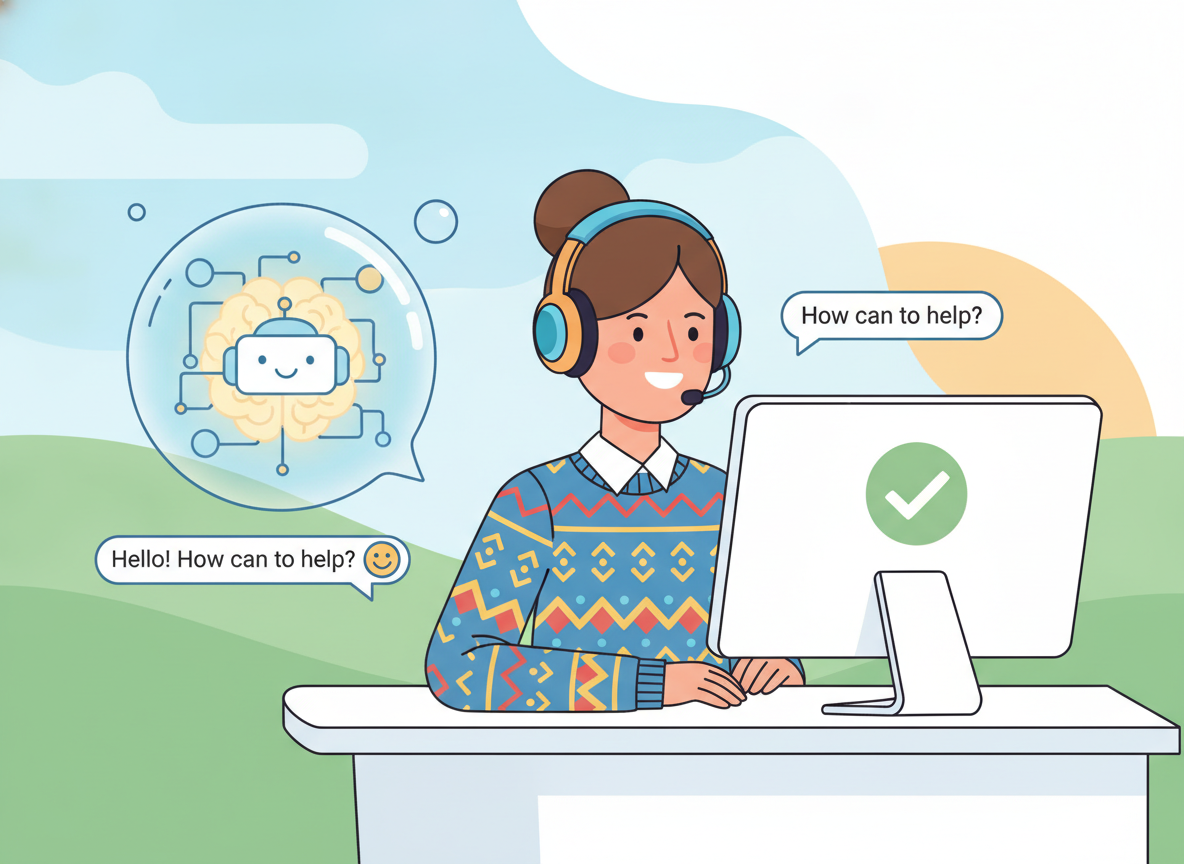
To design human-centered interactions, you should configure your chatbot to follow these core guidelines during every user interaction:
- Keep Responses Concise: Avoid overwhelming users with giant blocks of text. Structure your chatbot’s responses into brief, easy-to-read paragraphs of one to two sentences.
- Establish Clear Boundaries early: Let the user know they are chatting with an AI assistant right from the start, but reassure them that a human is always available if needed.
- Leverage Smart Action Buttons: Provide helpful quick-reply buttons at the end of responses to guide visitors toward key actions, such as “Book a Call,” “View Pricing,” or “Speak to Human.”
- Graceful Error Handling: When your chatbot cannot resolve an issue, it should transition smoothly, saying: “I want to make sure you get the right answer. May I please have your name and email so our team can follow up directly?”
By putting the user’s immediate experience first, you build high-converting relationships and trust, turning casual website visitors into eager, active customers.
Integrating with WordPress and E-commerce Platforms
Once you have built and thoroughly tested your custom chatbot, it is time to deploy it on your live website. The integration process is straightforward and does not require you to write or edit any complex backend code.
If you are running your website on WordPress, the integration is extremely simple. Most modern chatbot platforms will provide you with a lightweight code snippet that you can easily paste into your site using a free header and footer injection plugin.
Alternatively, many popular platforms offer dedicated plugins in the official directory, enabling you to install, authorize, and run your chatbot on your site with just a few clicks.
- Log in to your admin dashboard and navigate to your plugins library.
- Search for your chosen chatbot platform (for example, Tidio) and click install.
- Activate the plugin and log in to link your chatbot project.
- Customize the visibility rules, choosing whether to display the widget on every page or only on high-value sales pages.
For e-commerce platforms like Shopify, WooCommerce, or Webflow, the setup process is equally smooth. You can embed the chatbot widget site-wide by pasting the provided integration script directly into your platform’s global theme settings.
Once active, your chatbot can automatically track product pages, offer real-time discount codes, and assist users during checkout, directly addressing any questions that might otherwise lead to shopping cart abandonment.
Advanced Tips: SEO, AdSense Monetization, and Optimization
Beyond providing quick customer service, an optimized website chatbot can dramatically boost your organic search performance and digital marketing campaigns.
First, by keeping visitors engaged in real-time conversations, a chatbot increases their overall time on page and significantly lowers your bounce rate. These metrics signal to search engine algorithms that your content is highly relevant, helping to improve your organic rankings.
Second, you can integrate your chatbot with automated social media marketing systems to build highly effective customer acquisition pipelines. For instance, when you learn to automate Pinterest marketing with AI, you can drive a massive, steady flow of highly targeted organic traffic directly to the landing pages where your newly optimized AI chatbot is waiting to capture and qualify those leads.
Third, for websites monetized with Google AdSense, a carefully placed chatbot widget can assist in driving deeper user engagement across your site, without interfering with your ad placements. Designing your site with clean formatting and clear spaces around the chat widget ensures a smooth user experience while maximizing your display ad revenue.
Be sure to analyze your chatbot’s conversation history logs at least once a week. Identifying common, unresolved questions allows you to continually update both your chatbot’s knowledge base and your website’s primary content to address actual user needs.
Frequently Asked Questions (FAQs) About Website Chatbots
1. Will installing an AI chatbot slow down my website loading speeds?
This is a major concern for SEO-conscious website owners. Fortunately, modern no-code chatbot builders like Tidio and Chatbase load their widgets asynchronously. This means the chatbot script executes in the background only after the primary content of your web page has fully loaded, ensuring zero negative impact on your Core Web Vitals or mobile speed scores.
2. Are no-code AI chatbots secure and compliant with GDPR privacy regulations?
Yes, provided you choose reputable platforms and configure them properly. Highly rated builders offer active GDPR compliance settings, enabling you to present an active cookie and data consent checkbox to European visitors before active text chat begins. Your chatbot can also be configured to automatically delete conversation transcripts after a set number of days.
3. Can I integrate my chatbot with customer relationship management (CRM) software?
Absolutely. Platforms like Landbot, ManyChat, and Chatbase offer native, zero-code integrations with popular CRM systems including HubSpot, Salesforce, and ActiveCampaign. For any unsupported software, you can set up a simple automated web-hook trigger using Zapier or Make to route your captured leads to any external app you choose.
4. What happens if a customer asks a highly complex technical question?
This is where visual hybrid builders like Tidio excel. You can design a clear “human fallback” trigger inside your chatbot’s conversational flow. When the AI detects a query it cannot resolve from its knowledge base, it can instantly sound a notification on your support team’s mobile dashboard, initiating a seamless live-agent transfer.
5. Can I use these chatbots to collect online payments directly from visitors?
Yes, indeed. Platforms like Tidio and ManyChat support direct integrations with Stripe and PayPal. This enables you to configure your chatbot to guide users through custom product catalogs, offer direct discount codes, and complete credit card payments directly within the small chat window, without sending them to a third-party checkout page.
6. How do I prevent my AI chatbot from hallucinating or making up policies?
The secret lies in proper prompt constraints. By writing a highly strict system prompt (as demonstrated in Step 3 of our tutorial), you can instruct the large language model to rely exclusively on your uploaded knowledge base. If the answers are not directly present, the bot is instructed to politely decline to answer, capturing an email address for manual follow-up instead.
7. Do I need an expensive subscription to keep my chatbot active?
Not at all. Almost every major platform, including Tidio, Chatbase, and ManyChat, provides a robust free-forever tier that includes basic AI processing, visual flow building, and a limited number of active monthly chats. This makes it incredibly low-risk for small digital businesses to test the technology before committing to a paid plan.
8. How does a no-code AI chatbot compare to building one with custom code?
While coding a custom AI chatbot using Python, Node.js, and direct API endpoints (such as OpenAI’s Assistants API) offers infinite structural flexibility, it requires continuous engineering maintenance, server hosting infrastructure, and complex security protocols to prevent API key exposure. For 95% of small business owners, bloggers, and e-commerce brands, no-code AI chatbot platforms provide identical core capabilities—including prompt tuning, knowledge base indexing, and custom styling—without the overhead of debugging code, managing web-hook servers, or paying for expensive software developers. Using a zero-code solution allows you to launch your product immediately, gather customer data in real-time, and iterate your customer support workflows in minutes instead of weeks.
Real-World Case Studies & Success Metrics
Case Study 1: E-commerce Boutique Boosts Conversion Rates by 28%
A mid-sized apparel store built on WordPress and WooCommerce integrated Tidio’s AI chatbot to assist visitors during late-night hours when human support agents were offline. By feeding the chatbot their shipping policy document and custom sizing charts, the bot successfully resolved over 75% of customer queries on the spot. Within sixty days, cart abandonment rates fell by 18%, and overall onsite conversions increased by 28%.
Case Study 2: Local Service Provider Generates 140+ Leads per Month
A local digital marketing agency used Chatbase to deploy an AI chatbot on their homepage, trained entirely on their agency service sheets, past case studies, and scheduling links. Visitors who asked about pricing were instantly guided through a custom pricing matrix, after which the chatbot automatically offered them a booking link to schedule a direct consultation. The chatbot successfully captured and qualified 142 leads in its first month, saving thirty hours of manual email follow-up time for the sales team.
Case Study 3: Publisher Site Increases Time-on-Page by 40%
A prominent niche tech blog integrated an educational AI assistant inside their sidebar, training it on their top fifty articles and search guides. Instead of using a standard search bar, readers interacted with the chatbot to get direct recommendations and summary guides of complex tech topics. This interactive helper drove a massive 40% increase in average reader time-on-page, driving up their ad impression metrics and Google AdSense monetization yields significantly.
Verdict & Next Steps
Building a custom, code-free website chatbot is one of the smartest and most cost-effective upgrades you can make to your digital business. It completely bridges the gap between active customer acquisition and instant engagement, turning your static pages into highly interactive conversational experiences.
Do not let technical anxiety hold you back. Choose an intuitive, zero-code platform like Chatbase or Tidio, upload your standard FAQ pages, configure a clear system prompt, and embed the widget onto your website today.
As you watch your automated support system handle questions, qualify leads, and drive sales, you can focus your time on high-impact growth strategies. Start building your custom chatbot today and unlock a highly efficient, twenty-four-seven support and conversion engine for your online business.