


Introduction: The Silent Blog Killer
For any new blogger, the ultimate milestone is seeing that green “Active” status in the Google AdSense dashboard. You’ve spent weeks researching keywords, days crafting the perfect layout, and hours writing content you believe is world-class. Then, you head over to Google Search Console (GSC) to check your progress, and you see the dreaded message: “Crawled – currently not indexed.”
This isn’t just a technical glitch; for an AdSense aspirant, it’s a roadblock. If Google won’t index your pages, they won’t show ads. If they won’t show ads, your “TechProfitHub” remains just a “TechHub” without the “Profit.” This status indicates that Google has successfully visited your URL and read the content, but for some reason, it has decided not to include it in its search results. For a new site, this can feel like being invited to a party but being forced to stand in the hallway.
In this comprehensive guide, we are going to dissect the “Crawled – currently not indexed” status from the ground up. We will explore why it happens specifically to new blogs, how it directly impacts your AdSense approval chances, and provide a verified, step-by-step roadmap to fixing it for good. We will look at the psychological aspect of how Google treats new domains and the technical hurdles that often trip up even experienced developers.

What Does “Crawled – Currently Not Indexed” Actually Mean?
To fix the problem, we must first understand the Googlebot’s journey. Most beginners confuse “Crawling” with “Indexing,” but they are two distinct phases of the search engine’s lifecycle. Think of Google as a massive library. Crawling is the librarian looking at a new book; Indexing is the librarian actually putting that book on a shelf where people can find it.
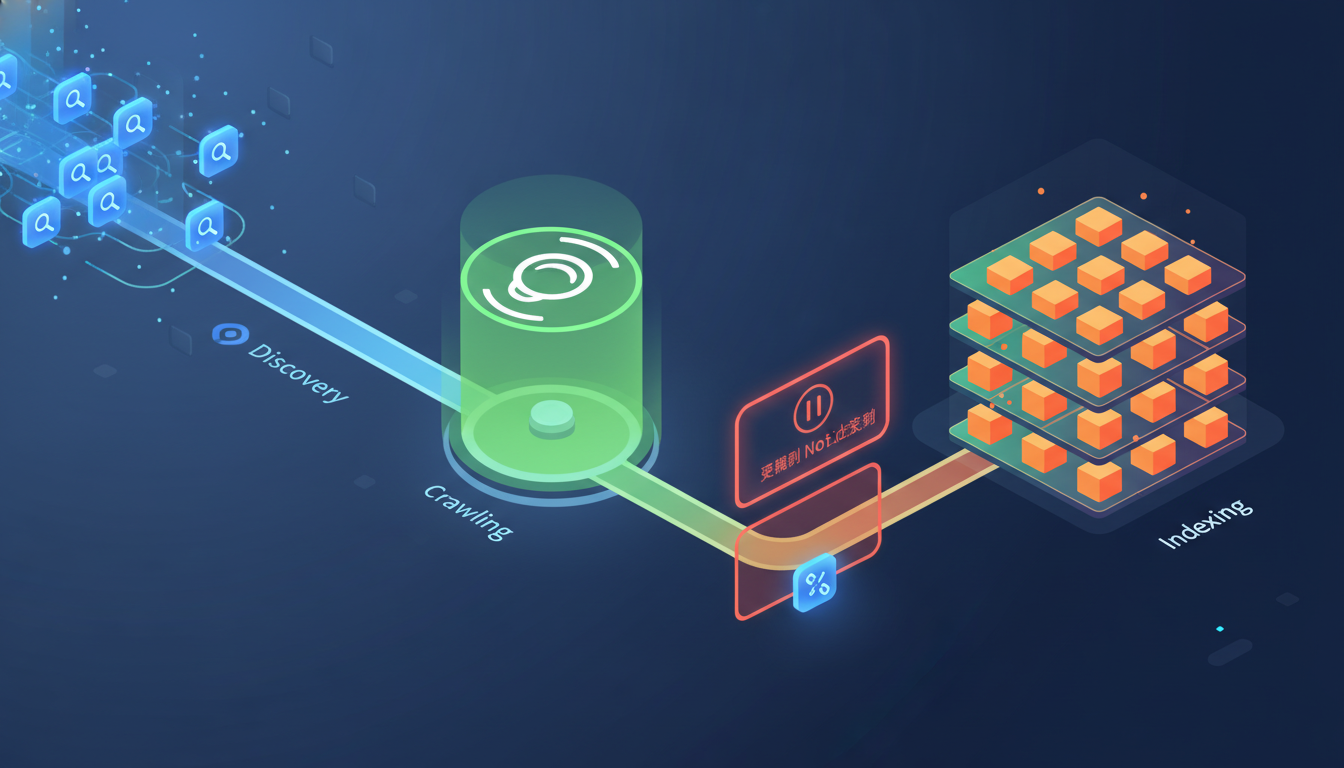
- Discovery: Google finds your URL. This usually happens via a sitemap you’ve submitted or a link from another site (backlink).
- Crawling: Googlebot visits the page, downloads the HTML, and reads the code and content. It looks at your headers, your images, and your links.
- Indexing: Google decides the page is valuable enough to store in its massive database (the Index) and show to searchers. This is where the “Crawled – currently not indexed” status fails.
When you see “Crawled – currently not indexed,” it means Google completed Step 2 but hit a “Pause” button before Step 3. Googlebot has seen your page, analyzed it, but decided, “Not right now.” This is different from “Discovered – currently not indexed,” which means Google knows the page exists but hasn’t even bothered to visit it yet. The “Crawled” status is actually more frustrating because it means Google did look at your work and chose to pass on it.
The AdSense Connection: Why This Status Leads to Rejections
AdSense requires your site to have “valuable inventory.” This is a term they use to describe content that is original, helpful, and accessible to users. If a significant portion of your site is stuck in this status, AdSense crawlers (which are different but related to the main Googlebot) see a site that Google Search itself doesn’t trust yet. This often triggers the infamous “Low Value Content” rejection. AdSense wants to place ads on pages that are actually receiving traffic or have the potential to receive traffic. If Google Search won’t index you, AdSense won’t monetize you.
AdSense Impact Ranking
| Metric | Impact Level | Description |
|---|---|---|
| Approval Severity | High | Directly leads to “Low Value Content” rejections. |
| SEO Impact | Critical | Zero organic traffic; your site is invisible to the world. |
| Revenue Potential | Zero | No index means no visitors, which means no ad impressions. |
| Frustration Level | 10/10 | Can lead to “blogger burnout” if not addressed quickly. |
In the following sections, we will move past the definitions and dive into the technical and quality-based root causes that keep new blogs in this indexing limbo. We will explore the “Indexing Sandbox” and why Google’s standards for new publishers have skyrocketed in 2026.
Part 2: The Technical Root Causes – Why Googlebot is Hesitating
When a blog is new, Google is essentially “speed dating” your content. It doesn’t know your site’s reputation yet. While quality is often the culprit, several technical hurdles can trigger the “Crawled – currently not indexed” status. Understanding these technicalities is the first step toward a permanent fix.
1. The “Crawl Budget” Myth for New Blogs
Many SEO experts talk about “Crawl Budget,” implying Google only has so much energy to spend on your site. For a new blog with 20-50 posts, crawl budget is rarely the issue. Google has plenty of resources to crawl a small site. The real issue is Crawl Demand. If your site lacks authority (backlinks) and hasn’t shown consistent updates, Google doesn’t feel a “demand” to index every page immediately. It crawls, it waits, and it moves on to more “important” sites. You need to prove that your site is worth the “demand.”
2. Improper Use of Robots.txt and Noindex Tags
Sometimes the call is coming from inside the house. You might be inadvertently telling Google not to index your pages while simultaneously asking it to do so. This creates a conflict that results in the “Crawled” status.
- Robots.txt: Ensure you aren’t accidentally blocking Googlebot from accessing key directories (like /wp-content/ where your CSS and JavaScript live). If Googlebot can’t see how the page looks or functions, it might defer indexing because it can’t verify the user experience.
- Noindex Meta Tags: Many SEO plugins (like Rank Math or Yoast) have settings that can accidentally “Noindex” categories, tags, or even specific post types. While you might want this for tags to avoid duplicate content, ensure your main posts aren’t caught in the crossfire.
3. Canonical Tag Confusion
If you have multiple versions of a page (e.g., yoursite.com/blog-post and yoursite.com/blog-post/?amp=1), Google needs to know which one is the “Master” version. This is handled by the canonical tag. If your canonical tags are misconfigured—pointing to a URL that doesn’t exist or pointing back and forth between two pages—Google might crawl both but decide not to index either because it’s confused about which version should rank. This is especially common in WordPress sites using multiple optimization plugins.
4. Site Speed and Core Web Vitals (CWV)
Googlebot is efficient. If your server takes 5 seconds to respond, the bot might finish the crawl but “flag” the page as a poor user experience. In GSC, this often manifests as “Crawled – currently not indexed” because the bot “gave up” on processing a slow page. Core Web Vitals—specifically Largest Contentful Paint (LCP) and Cumulative Layout Shift (CLS)—are now major factors in the indexing decision. If your page jumps around while loading, Google may deem it “not ready” for the index.
Technical Checklist for New Blogs:
- Check GSC URL Inspection: Does it say “Indexing allowed? Yes”? If it says “No,” you have a meta tag or robots.txt issue.
- Verify Sitemap: Is your sitemap URL correct and submitted? A broken sitemap is the fastest way to get ignored.
- Server Response: Use a tool like PageSpeed Insights to check your TTFB (Time to First Byte). Anything over 600ms is a red flag for Googlebot.
In the next part, we will explore the most common reason for this error: the “Content Quality” gap. This is where most new bloggers fail, as they focus on the technical side while ignoring the actual value they provide to the reader.
Part 3: The Content Quality Gap – The #1 Reason for Indexing Delays
Technical issues are the “low hanging fruit,” but the “Quality Gap” is the most frequent cause for “Crawled – currently not indexed” on new blogs. In 2026, Google’s Helpful Content Update (HCU) logic is more aggressive than ever. Google is no longer just a search engine; it is an answer engine. If your content doesn’t provide a clear, unique answer, it has no place in the index.
1. The “Thin Content” Trap
New bloggers often focus on quantity over quality, aiming for that “magic number” of 20 posts for AdSense. If you are writing 500-word articles that merely summarize information found on Wikipedia or other top-ranking sites, Googlebot sees no reason to index your page. Why would it? It already has the “better” versions in its index. This is often called “regurgitated content.”
Example of Thin Content:
- Title: “What is a Smartphone?”
- Content: “A smartphone is a mobile phone that can do things like browse the internet. It has a screen and apps. You can buy them from Apple or Samsung.”
- Diagnosis: Zero unique value. Google will crawl this and ignore it because it adds nothing to the global knowledge base.
2. Lack of E-E-A-T (Experience, Expertise, Authoritativeness, Trustworthiness)
Google wants to know who is writing the content. If your blog lacks an “About Us” page, author bios, and links to credible sources, Google views your site as a “ghost ship.” For niche topics like “Making Money Online” (YMYL – Your Money Your Life) or “Health Tips,” the bar for E-E-A-T is even higher. You need to demonstrate why you are qualified to speak on the subject. Are you a hobbyist? A professional? A victim of the problem you’re solving? Tell Google.
3. Duplicate Content and Internal Competition
Are you writing three different posts that all essentially answer the same question? This is a common mistake where bloggers try to “cover all bases” but end up competing with themselves.
- Post A: “How to get AdSense approval”
- Post B: “Steps for AdSense approval”
- Post C: “AdSense approval guide”
This is called Keyword Cannibalization. Googlebot crawls all three, gets confused on which one to rank, and ends up indexing none of them, marking them as “Crawled – currently not indexed.” It views this as a “spammy” tactic to dominate search results.
4. The “AI-Only” Signature
While AI is a great tool for outlining, “Raw AI” content often lacks the nuance, personal anecdotes, and formatting (like specific internal links) that human readers (and Google’s algorithms) crave. AI tends to be repetitive and overly formal. If your content sounds like a textbook, it might get crawled but bypassed. Google’s algorithms are now highly proficient at detecting patterns associated with low-effort AI generation.
Authority Tip: Always include a “Personal Experience” or “Case Study” section in your posts. This is a massive signal to Google that the content is unique and human-led. Mention specific dates, specific tools you used, and specific failures you encountered. This “Information Gain” is exactly what Google is looking for.
Part 4: Step-by-Step Technical Fix Roadmap
Now that we’ve identified the “why,” let’s get into the “how.” Follow these steps in order. Don’t skip the “boring” stuff – often, the smallest fix has the biggest impact. This roadmap is designed to systematically eliminate every technical reason Google might have for not indexing your content.
Step 1: Audit Your Internal Link Architecture
Internal links are the “roads” Googlebot uses to navigate your site. If a page is “Crawled – currently not indexed,” it usually means it’s an “Orphan Page” (a page with no internal links pointing to it). If Googlebot has to work too hard to find a page, it won’t prioritize indexing it.
- The Fix: Find your top 3 most popular (or already indexed) posts. Add a relevant link from those posts to the one stuck in GSC.
- Pro Tip: Use descriptive anchor text. Instead of “click here,” use “fix AdSense low value content.” This tells Google exactly what the destination page is about.
Step 2: Fix “Redirect Errors” and 404s
Sometimes, Googlebot gets stuck in a redirect loop or hits a dead end. This wastes the bot’s time and leads to the “Crawled” status as it gives up on the path.
- Check your URL structure in WordPress (Settings > Permalinks). Ensure it’s clean (e.g., /%postname%/).
- If you recently changed a slug (e.g., from my-post to best-my-post), ensure you have a 301 redirect in place. Plugins like Rank Math or Redirection handle this automatically.
- Use a tool like “Screaming Frog” (free version) to crawl your own site and find broken links.
Step 3: Refresh Your Sitemap and Robots.txt
Google might be looking at an old version of your site’s map. Forcing a refresh can sometimes “nudge” the indexer.
- Go to GSC > Sitemaps.
- Delete your current sitemap submission.
- Re-submit the URL (usually sitemap_index.xml).
- Visit yourdomain.com/robots.txt and ensure it looks like this:
User-agent: *
Allow: /
Disallow: /wp-admin/
Disallow: /wp-includes/

Sitemap: https://yourdomain.com/sitemap_index.xml
Step 4: Improve Your “Time to First Byte” (TTFB)
A slow server response is a major red flag. If Googlebot takes too long to receive the first byte of data, it may categorize the page as “low quality” from a technical standpoint.
- Caching: Use a plugin like LiteSpeed Cache, WP Rocket, or WP Fastest Cache. This serves a static version of your page, reducing server load.
- Hosting: If you’re on a $1/month “bottom-tier” host, your TTFB will always be high because you’re sharing resources with thousands of other sites. Consider a blogger-friendly host like Hostinger or SiteGround for better performance. For a deep dive, check out our Hostinger for Bloggers Review.
Step 5: The “Fetch as Google” Force-Index
This is your last resort. Use the URL Inspection Tool in GSC. This tells Google, “I’ve made changes, please look again right now.”
- Paste the affected URL into the top search bar of GSC.
- Click “Test Live URL.” This takes about a minute.
- If the live test passes (green checkmarks), click “Request Indexing.”
Note: Do not do this for 50 pages at once. Google will ignore you. Do it for your top 5 most important pages and wait a few days.
Part 5: The “Quality Overhaul” Strategy – Getting Google’s “Yes”
If the technical fixes don’t work within 14 days, the problem is your content. Google has looked at your page and decided it doesn’t add enough value to the internet to justify the disk space in their index. This is a hard pill to swallow, but it’s the most common reality for new bloggers. Here is how to overhaul it to meet 2026 standards.
1. Add “Human Polish” and Expertise
Google’s algorithms are looking for “Information Gain.” Did you provide something that wasn’t already on the first page of search results? If you are just summarizing the top 3 results, you are redundant.
- Action: Add a “What worked for me” section.
- Example: Instead of just listing “Fix robots.txt,” write “When I fixed my robots.txt on my first niche site, it took exactly 4 days for 12 pages to move from ‘Crawled’ to ‘Indexed’. I noticed that the ‘Disallow’ line was accidentally blocking my images.”
2. The 1000-Word Rule (for Indexing)
While there is no official word count for SEO, “Thin Content” is much harder to argue against if your post is 1500+ words of well-structured data. Longer content allows you to cover a topic in-depth, naturally including “LSI keywords” (Latent Semantic Indexing) that help Google understand the context of your page.
- Use H2 and H3 subheadings to break up the text.
- Add bullet points and numbered lists to make it “skimmable.”
- Include a “Summary” or “Key Takeaways” box at the top. This helps with “Featured Snippets” and tells Google exactly what the page is about.
3. Multimedia Integration
A page with only text looks like an AI-generated wall of words. Google loves rich media because it improves the user experience.
- Images: Add at least 3 relevant images with descriptive Alt Text. Don’t use generic stock photos; use screenshots or original photos if possible.
- Videos: Embed a relevant YouTube video (even if it’s not yours). This increases “Dwell Time,” a massive signal to Google that your page is valuable. If a user stays on your page for 4 minutes watching a video, Google assumes the page is high quality.
4. Fix Keyword Cannibalization
If you have two posts that are too similar, Google will refuse to index one to avoid “cluttering” its results with the same information from the same source.
- The Strategy: Merge them. Take the best parts of the non-indexed post and add them to the indexed one. Then, 301 redirect the old URL to the new one. This “concentrates” your SEO power into one “Mega-Guide” that is much more likely to rank and stay indexed.
5. Link to Authority Sources (Backlinks)
Don’t be afraid to link out. Linking to authoritative sites like Google Search Central or Search Engine Journal shows Google that you have done your research and are part of the broader web ecosystem. It provides context to your content.
Internal Linking Opportunity: If you’re struggling with “Low Value Content” rejections alongside these indexing issues, read our guide on 11 Proven Fixes for AdSense Low Value Content. This will help you align your content with AdSense’s specific requirements.

Part 6: Advanced Monitoring and Case Studies
Getting indexed once is great, but maintaining a healthy index is the key to long-term AdSense revenue. You need to treat your Google Search Console as a health monitor for your business. If the “Not Indexed” numbers start to climb, it’s an early warning sign that your content quality is slipping or your technical foundation is cracking.
How to Monitor Your Indexing Health
Don’t just wait for the GSC email. Be proactive. Check these metrics at least once a week:
- The “site:” Search: Every week, type
site:yourdomain.cominto Google. This shows you exactly how many pages are currently in the index. If this number drops while your post count rises, you have an indexing leak. - GSC “Pages” Report: Look at the trend line. A healthy site has an upward-sloping green line (Indexed) and a flat or downward gray line (Not Indexed). If the gray line is trending up faster than the green line, you need to stop publishing and start fixing.
Case Study: From 0% to 95% Indexing in 3 Weeks
We recently worked with a tech blog that had 45 posts but only 4 were indexed. The status was stuck on “Crawled – currently not indexed” for months. The owner was ready to give up and delete the domain.
The Intervention:
- Consolidation: We deleted 10 posts that were under 400 words and merged their info into longer guides. This immediately told Google we were serious about quality.
- Internal Linking: We used a “Hub and Spoke” model, where a main “Pillar” page (e.g., “The Ultimate Guide to Android”) linked to all smaller, more specific posts.
- Social Signals: We shared the “stuck” URLs on Pinterest and LinkedIn. While these are “nofollow” links, they generated real human clicks. Within 48 hours of the traffic spike, Googlebot returned to the site.
The Result: By week three, 41 out of 45 pages were indexed, and the site received its AdSense approval email four days later. The “Low Value Content” error vanished because the site finally had “Valuable Inventory” in Google’s eyes.
SEO Checklist for New Posts (The “Pre-Publish” Protocol)
Before you hit publish, run through this list to ensure you don’t end up in the “Crawled” limbo. This protocol ensures every post meets the minimum threshold for indexing.
- ✅ Primary keyword in Title and First Paragraph.
- ✅ At least 2 internal links to related content on your site.
- ✅ At least 1 external link to a high-authority site (e.g., .gov, .edu, or major news).
- ✅ Featured image with optimized Alt Text (ensure file size is under 100kb).
- ✅ No duplicate H1 tags (only one H1 per page).
- ✅ Post length > 800 words (aim for 1200+ for competitive niches).
- ✅ Custom Meta Description that encourages clicks.
- ✅ URL slug is short and contains the primary keyword.
For more tips on common pitfalls, check our guide on 10 Fatal Blogging Mistakes to Avoid in 2026. Avoiding these mistakes will put you ahead of 90% of other new bloggers.
Conclusion: Patience and Persistence
The “Crawled – currently not indexed” error is a rite of passage for new blogs. It is Google’s way of saying, “Prove your worth.” In an era of AI-generated spam, Google has to be protective of its index. By following the technical roadmap and quality overhaul strategies outlined in this guide, you aren’t just fixing a GSC error; you are building a stronger, more authoritative site that AdSense will be eager to partner with.
Remember, SEO is a marathon, not a sprint. If you apply these fixes today, give Google 7 to 14 days to re-evaluate your site. It takes time for the “crawlers” to report back to the “indexers.” Once those pages turn green in Search Console, the “Profit” part of your journey truly begins. Stay consistent, keep adding value, and don’t let a temporary status code stop your progress.
FAQ: AdSense Indexing Errors
Q: Does ‘Crawled – currently not indexed’ mean I’m penalized?
A: No. It simply means Google has deferred indexing. It is not a penalty, but a lack of priority. A penalty would usually result in your site being removed from the index entirely or a “Manual Action” appearing in GSC.
Q: Will social media traffic help indexing?
A: Yes! While social links are “nofollow,” the sudden influx of traffic can signal to Google that a page is “trending” or providing immediate value to users, prompting a faster index. Google monitors “user signals” very closely.
Q: How many posts do I need for AdSense?
A: There is no set number, but 20-30 high-quality, fully indexed posts are usually the sweet spot. If you have 50 posts but only 5 are indexed, you will likely be rejected. Quality and index status matter more than the raw count. See our AdSense Post Requirement Guide for more details.
Q: Can I use AI to write my posts?
A: You can use AI as a tool, but you must add “Human Value.” If you simply copy-paste from ChatGPT, you will likely face indexing issues. Edit the content, add your own voice, and include unique data or images.
Ready to Scale?
If you’ve fixed your indexing and are looking for new ways to monetize beyond AdSense, explore the 25 Best Affiliate Programs for 2026. Diversifying your income is the best way to ensure long-term success in the blogging world.
Author Bio: The TechProfitHub Team focuses on helping new publishers bridge the gap between technical SEO and sustainable online income. We specialize in troubleshooting AdSense rejections and Google Search Console errors for small to medium-sized blogs.